
FlixBus: Book Bus Tickets
Flix SETravel & Local
4.76.66K Reviews
- Version
- 9.89.0
- Installs
- 50.00M
- Age Rating
- Everyone
Screenshots

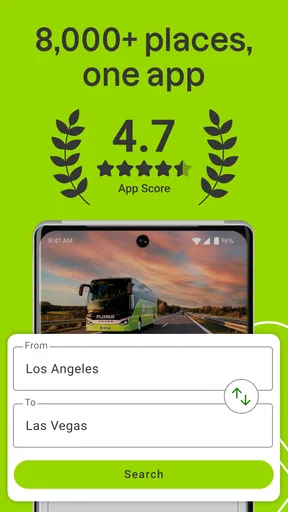
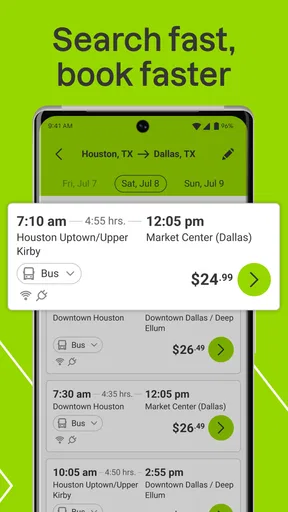
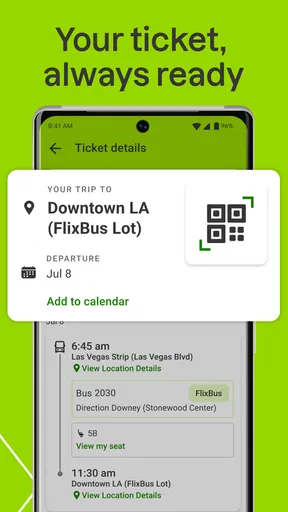
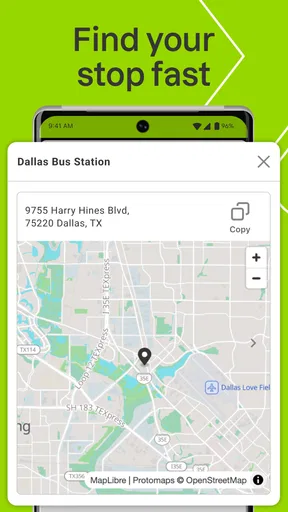
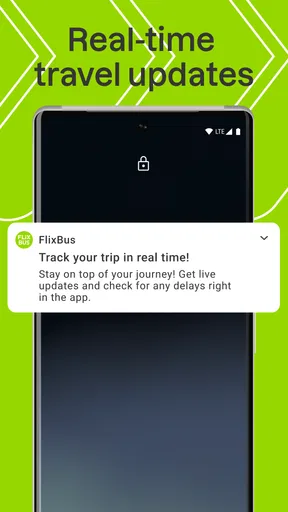
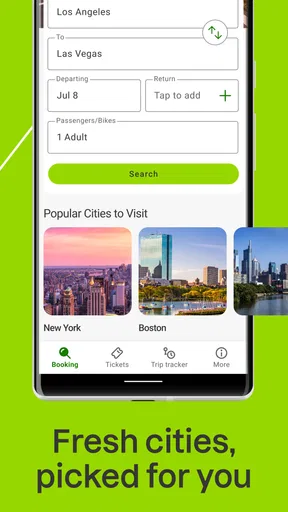
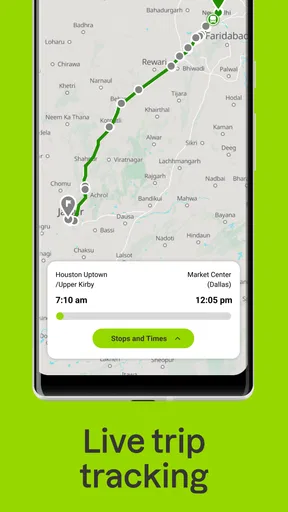
Our Review of FlixBus: Book Bus Tickets
 Analysis by Appyee
Choosing a bus-booking app is less about finding the prettiest interface and more about matching the service to the way you travel. I look for three things first: whether the route I need is actually covered, how quickly I can compare departure options, and whether the ticket remains easy to find when I am already on the move. FlixBus: Book Bus Tickets is built for that decision, especially for long-distance trips across the United States. It is a free Travel & Local app from Flix SE, and its main job is straightforward: help me search routes and book a seat without turning the process into a desktop-only chore.
That focus gives it a clear advantage over general travel tools, but it also creates an important limitation. This is not the app I would automatically choose for every journey. If I need to compare several bus companies, trains, flights, or local transit in one place, a broader travel search tool may be more useful. If my route is served by FlixBus and I value a direct booking path, however, the dedicated app makes more sense. My experience is that it works best when I treat it as a practical transport tool rather than as a complete trip planner.
How I Decide Whether FlixBus Fits a Trip
I use a route-first check to decide whether this app deserves a place in my travel routine: I look at the stops, timing, and how the bus fits the rest of the day before I care about the booking flow. That approach helps me separate a genuinely convenient trip from one that only looks easy on a screen. I’ll also weigh how often I travel this way, since a focused tool earns lasting value when it solves a recurring problem without adding upkeep.
Start with the route, not the interface
The first question is simple: does FlixBus serve both ends of my journey at a useful time? The app is aimed at long-distance bus travel across the US, so it is most relevant when I am moving between cities rather than making a short local hop. That matters because a polished booking screen cannot compensate for an unsuitable route. I would enter the departure and arrival cities before spending time exploring anything else.
This route-first approach is particularly helpful for flexible travelers. If I can leave on more than one day, I can use the app to look at the available departures and judge whether the bus is practical for my schedule. When I have a fixed appointment, such as a concert, exam, or family event, I would search early enough to compare the listed options rather than choosing the first result under pressure. The app is most valuable when it helps me make that decision before I am committed.
I also consider how much of the purchase I want handled in one place. A dedicated operator app reduces the number of steps between finding a route and buying a ticket. That is convenient when I already know I want FlixBus. On the other hand, a general comparison service can be better when the destination has several transport choices and I am willing to trade a little simplicity for a wider view.
What I check before paying
Before booking, I pay attention to the departure and arrival locations, not just the city names. Large cities can have more than one stop, and the most convenient result is not always the one with the best travel time. I check the stop against my actual plans, especially if I am arriving late, carrying luggage, or connecting to local transport. This is a small habit, but it prevents the common mistake of selecting a route that looks right while ending at an inconvenient part of town.
I also review the journey details slowly instead of tapping through on autopilot. I want to know the travel date, departure time, arrival time, and any connection shown in the itinerary. A cheap fare is only useful if it works with the rest of the day. For an early departure, I would check how I will reach the stop; for a late arrival, I would think about the final leg to my accommodation. The app can handle the ticket purchase, but it cannot remove those real-world planning decisions.
Another useful habit is to keep the booking information accessible before leaving home. I would open the trip while I still have a reliable connection, confirm the selected route, and avoid waiting until I am standing at the stop. That preparation is more important than it sounds. A booking app is helpful during a journey only when the traveler has already made sure the digital ticket and trip details are easy to retrieve.
Who will appreciate the focused design
I think the app is a strong fit for students, budget-conscious travelers, visitors moving between cities, and anyone who prefers buses to driving or flying. It is also useful for people who do not want to call a station or use a browser every time they need a ticket. The free download lowers the barrier to trying it, while the Everyone content rating makes it suitable for a broad audience.
It can also suit occasional travelers who do not want a complicated travel-management system. If I take only a few long-distance trips each year, I would rather have a clear booking route than learn a large platform filled with options I will not use. The dedicated nature of the app keeps the task understandable: search, inspect the journey, and complete the reservation.
I would be more cautious if I were planning a multi-city itinerary that depends on precise coordination between buses, trains, and flights. In that situation, I would still use FlixBus if one of its routes were the right piece of the plan, but I would not rely on it as my only planning tool. The app is strongest at its own transport service, not at replacing every other travel resource.
Where the app wins against broader alternatives
The clearest advantage is the direct relationship between the search and the booking. With a general travel website, I may have to move between comparison results, an operator page, and a separate confirmation process. A dedicated FlixBus experience is more focused. When I already know that a bus is the right answer, fewer decisions stand between me and the ticket.
The app also makes sense for repeat travelers. After I have learned which stops work for me, the next booking becomes less of a research task. I can return to the same service instead of starting from a wide comparison screen each time. That consistency is valuable for regular visits to family, recurring work trips, or a familiar route between two cities.
Another strength is that the app keeps the operator and the reservation connected. If I book through an unrelated marketplace, I may have to remember which service holds the ticket and where to look for trip information later. A dedicated booking flow gives me a simpler mental model: the journey belongs to FlixBus, and the app is the place I begin. That reduction in searching is the real convenience, not merely the act of buying online.
Practical ways I use it beyond the first search
One useful workflow is to search from the location where I will actually begin the day, then compare that with the location where I need to finish. I do not assume that the most central-looking stop is best. I consider walking time, local transport, and whether I will be carrying bags. A route with a slightly less attractive departure time can become the better choice if its stops reduce the rest of the journey.
A second tip is to separate booking confidence from price excitement. When I see a low fare, I first confirm the date and cities, then check whether the timing fits. This avoids buying a bargain ticket that creates an expensive or stressful connection later. The app helps me find the bus fare, but the best value comes from judging the complete trip rather than the ticket in isolation.
A third workflow is useful for travelers with changing plans. I would search the likely route before the day of travel, note which departure windows appear workable, and keep enough flexibility in my schedule to handle the practical parts around the bus. I would not treat the app as a guarantee that every part of a day will go perfectly. Instead, I use it to make the transport portion clear enough that I can plan the surrounding details responsibly.
Where other categories may be better
General travel aggregators are better when my main question is “what is the fastest or cheapest way to get there by any method?” They can help me compare buses with trains, flights, or car travel. I would choose that kind of service when the operator is less important than the overall itinerary. FlixBus becomes the better choice after I have decided that its bus network is a suitable option.
Local transit apps are a better fit for short urban journeys. They usually address buses, trains, or other services within a city, while this app is aimed at long-distance travel. I would not open FlixBus expecting it to replace a city transport planner for a daily commute or a short ride across town.
Direct websites can also be preferable in a few situations. Some travelers like booking from a larger screen, printing information, or managing travel while working on a laptop. I find the mobile app more convenient when I am already away from home, but a browser can feel easier for a complicated itinerary or for someone who dislikes entering travel details on a phone.
Finally, driving may still be the better alternative when I need door-to-door flexibility, frequent stops, or access to places outside the bus network. The app can make a long-distance bus practical, but it cannot provide the independence of a car. The right decision depends on whether saving the effort of driving matters more than controlling every part of the route.
What switching to the app really involves
Moving from a browser or another booking method is not difficult, but there is a small adjustment period. I need to get used to checking the selected stops carefully and to keeping the booking information available on my phone. That is a minor cost for occasional travelers, yet it is worth acknowledging because convenience depends on good habits after the purchase, not just on the search screen.
There is also a trade-off in committing to a focused operator app. I gain a direct path to FlixBus routes, but I lose the broad comparison view offered by a multi-operator platform. I would not switch permanently without first deciding which of those matters more for my travel pattern. Someone who regularly compares several companies may find the broader tool worth keeping, while someone who repeatedly books FlixBus may appreciate the simpler routine.
The app is free to download, which makes testing that routine easy. It has been available since February 3, 2014, and the current version is 9.84.0, with Android support beginning at version 6.0. Those details matter when I am checking whether an older phone can run it, but the more important practical test is still whether the route search fits my needs. A compatible device does not make an unsuitable destination suddenly convenient.
Popularity, trust, and what they mean to me
The app has a 4.7 average from around one million ratings, with roughly 6,500 written reviews and over 50 million installs. Those figures show that it is widely used and that many travelers are comfortable rating the experience positively. I see that as reassuring, especially for a booking tool, but I do not treat popularity as proof that every route or every trip will suit me.
My own confidence comes from checking the itinerary details and using the app consistently for the operator I intend to travel with. The developer, Flix SE, gives the product a clear identity rather than presenting it as an anonymous ticket marketplace. That makes the app easier to understand: I am using a FlixBus booking channel, not a universal transport desk.
My recommendation for everyday travel
Imagine I need to travel from one US city to another for a weekend visit. I would first search the route in the app, compare the available departure times, and inspect the stop locations before thinking about the fare. If one option arrives at a sensible time and leaves from a stop I can reach easily, I would book through the app rather than opening several unrelated sites. Before the trip, I would check the reservation again and plan the local connections around both ends.
That scenario captures the app’s best use: a direct, low-friction way to arrange a long-distance bus journey when FlixBus already matches the route. It is not trying to be my complete travel command center, and I do not think it needs to be. Its value comes from doing one important task with less clutter.
I recommend it to anyone who regularly considers FlixBus, wants to book from a phone, or prefers a focused alternative to a broad travel marketplace. I would skip it as my primary tool if I need comprehensive comparisons across transport types, detailed multi-operator planning, or the freedom of a private vehicle. For the right traveler, though, FlixBus: Book Bus Tickets is a sensible free app that turns a long-distance bus search into a manageable part of the trip.
Privacy and Permissions
See what permissions an app requests and how it handles your data.
- Calendar
- read calendar events plus confidential information, add or modify calendar events and send email to guests without owners' knowledge
- Location
- approximate location (network-based), precise location (GPS and network-based)
- Other
- view network connections, full network access, run at startup, prevent device from sleeping
Verdict
Strengths of FlixBus: Book Bus Tickets
- Wide network covering many European and North American destinations.
- Tickets can be booked and stored directly in the app.
- Trip updates and digital boarding passes are convenient while traveling.
- Often offers low fares compared with trains on popular routes.
- Multiple payment methods make checkout quick and flexible.
Limitations of FlixBus: Book Bus Tickets
- Bus schedules and routes vary considerably by country and season.
- Extra fees may apply for seat selection, baggage, or ticket changes.
- Delays can occur because journeys depend on traffic conditions.
- Customer support response times may be slow during disruptions.
- Some smaller stops can be difficult to locate or lack facilities.
Similar Picks in This Category
View All
Google Maps
Google LLC3.4

Google Maps Go
Google LLC4.1

Booking.com: Hotels & Travel
Booking.com Hotels & Vacation Rentals4.8

Google Earth
Google LLC3.8

Skyscanner Flights Hotels Cars
Skyscanner Ltd4.8

trivago: Compare hotel prices
trivago N.V.4.4
Frequently Asked Questions
What is FlixBus: Book Bus Tickets used for?
FlixBus: Book Bus Tickets is the official mobile app for searching, comparing, and booking long-distance bus journeys. You can enter your departure and destination cities, choose travel dates, review available departure times, and purchase a ticket directly from your phone. The app also lets you access booking details, check trip information, and manage reservations without needing to visit a ticket office.
Can I choose my seat when booking a FlixBus ticket in the app?
In many cases, the app allows you to select a preferred seat during the booking process, although availability and any additional fee depend on the route, bus, and local booking conditions. Some seats may be unavailable or assigned automatically. Before completing payment, carefully review the seat selection, total price, and other optional extras so there are no surprises at checkout.
Can I change or cancel a FlixBus booking from the app?
FlixBus generally provides options to manage, change, or cancel a reservation through the app or the booking-management section. However, the exact rules depend on the route, fare conditions, timing, and the company’s current cancellation policy. Changes may involve a fee or price difference, while refunds can be subject to specific deadlines. Always check the terms shown for your ticket.
Does the FlixBus app provide live trip updates and bus tracking?
The app can provide useful information about your journey, including booking details, departure times, stop locations, and notifications when updates are available. On selected routes, live tracking or delay information may also be offered, but these features are not guaranteed for every trip. It is still wise to arrive at the stated stop early and verify the departure information before traveling.
What payment methods are available in the FlixBus app, and is the app safe to use?
The FlixBus app supports several payment options, which may include major debit or credit cards and additional digital payment methods depending on your country and device. Payments are processed through the official booking system, but you should download the app from a trusted store and confirm that the developer is FlixBus. Review the final fare, baggage conditions, and cancellation terms before paying.
